This time we’re looking at Laravel, a PHP framework that’s changed how developers approach PHP development. Even if you’re not typically a PHP fan, Laravel offers a different experience worth exploring. Let’s walk through setting up Laravel on Debian Linux.
What is Laravel?
Laravel is a modern PHP web framework created by Taylor Otwell in 2011 to simplify web application development using clean, expressive syntax. It follows the MVC (Model-View-Controller) pattern and includes built-in features like routing, authentication, templating (Blade), database ORM (Eloquent), and a command-line tool (Artisan), making development faster and more organized.
Why Use Laravel?
Laravel makes web development faster, cleaner, and more secure. It handles low-level tasks like routing and authentication automatically. Tools like Eloquent (database ORM) and Artisan (CLI) streamline the development process.
Laravel includes official Starter Kits like Breeze and Jetstream with prebuilt authentication, session management, and frontend scaffolding. You can use React, Vue, or even SSR with Inertia.js.
This guide covers setting up a Laravel project using Laravel Starter Kit, Composer, and PHP on Linux Debian.
Requirements
- Laptop/PC with Linux Debian OS
- Internet Connection
- Node.js (If you don’t have it, check out my Node.js NVM tutorial)
Let’s get started.
Laravel Project Setup
PHP Installation
Before installing Laravel, we need PHP. This tutorial uses PHP 8.3 instead of the latest 8.4. The reason:
“It’s better to have one version older than latest because it’s proved stable and already widely used.”
Let’s go step-by-step:
- Now for PHP 8.3 installation we need to refresh/update our package list and then install apt-transport-https lsb-release ca-certificates curl and gnupg.
sudo apt update
sudo apt install -y apt-transport-https lsb-release ca-certificates curl gnupg- Now for the PHP, we will use code repository maintain of Sury PPA actively maintain by Ondřej Surý’s. So now we will add the GPG key.
curl -fsSL https://packages.sury.org/php/apt.gpg | sudo gpg --dearmor -o /usr/share/keyrings/sury.gpg- After adding the source code repo then we list it to our source list of package manager.
echo "deb [signed-by=/usr/share/keyrings/sury.gpg] https://packages.sury.org/php/ $(lsb_release -sc) main" | sudo tee /etc/apt/sources.list.d/php.list- Let’s update the package manager list and install PHP 8.3 by command:
sudo apt update
sudo apt install -y php8.3 php8.3-cli php8.3-mbstring php8.3-xml php8.3-curl php8.3-mysql php8.3-zip php8.3-readline unzip- After installation completes, verify the PHP version.
php -v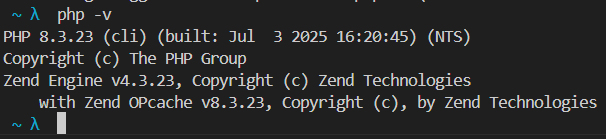
PHP is now installed.
Composer Installation
Now we install Composer. What’s Composer?
Composer is a dependency manager for PHP, similar to NPM for Node.js. It manages libraries, dependencies, and autoloading.
- Download the Composer Installer (Composer Setup).
curl -sS https://getcomposer.org/installer -o composer-setup.php- Then install the Composer globally.
sudo php composer-setup.php --install-dir=/usr/local/bin --filename=composer- After the installation done, cleanup the setup file and validate bychecking the Composer version.
rm composer-setup.php
composer --version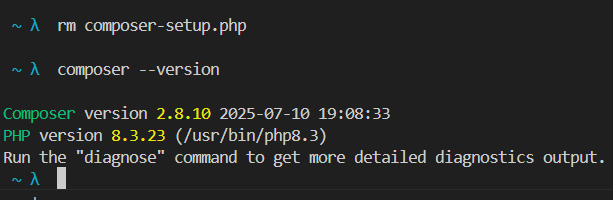
Composer is now installed.
Laravel Starter Kit & Project Creation
Now we’ll create a Laravel project using the Laravel Installer.
The Laravel Installer (Starter Kit) simplifies project creation with faster setup and helpful scaffolding.
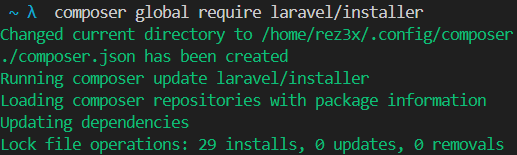
- Let’s install it:
composer global require laravel/installer- Wait for the installation to complete.
- Create a folder for your project:
mkdir laravel_project && cd laravel_project- And finally, the magic command:
laravel new laravel_appNote: If you’re using zsh terminal, you might encounter an error. Here’s the solution.

That’s because Zsh doesn’t know where the Laravel binary is. Let’s fix it.
Add Laravel to PATH (For zsh users)
- First, get the global binary path:
composer global config bin-dir --absolute
- Copy that path and open .zshrc:
nano ~/.zshrc- Add this line at the bottom:
export PATH="$HOME/.config/composer/vendor/bin:$PATH"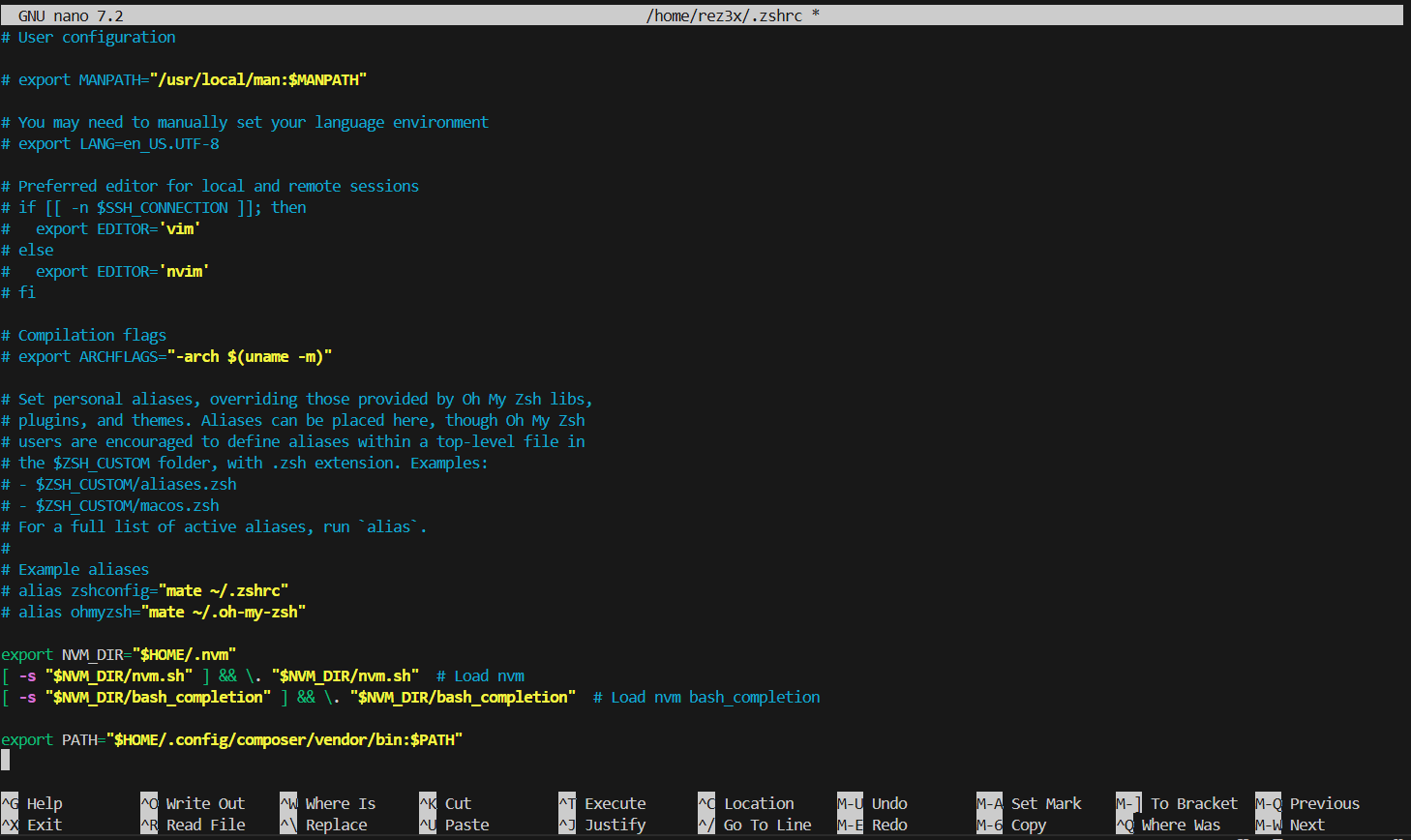
- Save and apply the changes:
source ~/.zshrc- Verify everything’s okay:
laravel --version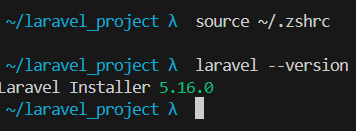
- Now retry the project creation:
laravel new laravel_appStarter Kit Setup
The CLI will prompt you with several configuration questions.
- Choose Starter Kit. I picked React because I’m used to it.

- Auth Provider. Select Laravel’s Built-In Auth.

- Testing Framework. Choose Pest for testing.

- Wait for the setup to complete.
You’ll see the project folder:

- Then it’ll ask if you want to run “npm run dev” and “npm run build”. Just type yes.

This is why we needed Node.js earlier. Laravel uses Vite to build assets and handle frontend stuff.
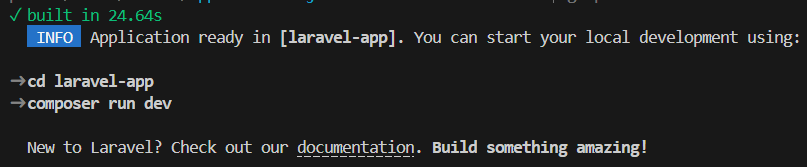
- After some time, everything will be done.
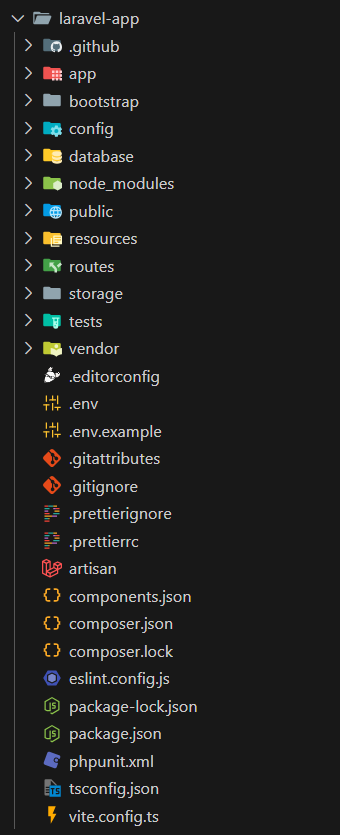
- Check out the structure:
Summary
You’ve successfully installed PHP, Composer, and Laravel, and created your first Laravel project on Debian Linux.
You’re now ready to start developing with Laravel. The project structure includes all necessary files for building modern web applications with React (or your chosen frontend framework).
If you have questions or run into issues, feel free to reach out.